After launch
Your games: every game you launched, in one place
“Your games” shows every game your wallet has launched and where each one stands on its bonding curve, with your share of its fees, ready-made images to share it and a way into its goals.
The site is in English. Button and label names are quoted here exactly as they appear on screen.
Elixir Games is a test version on Solana devnet. ELIX and every game token here are test money with no real value. More in the test version.
How it works
-
Open “Your games” with the wallet you launched with
Sign in with the same wallet you used to launch. Then open your account from the button with your name or wallet at the top right of any page, choose the “About” tab and press “Creator dashboard”. You can also go straight to the address:
elixir.games/creatorA game is on this list because your wallet launched it. Nobody approves anything here. If you switch wallets, the list changes at once, without reloading the page.
For a second after the page opens, while the site checks that you are signed in, the list is a grey block. Then your games appear, or the way to sign in if you are not.
-
Read the list: your games, newest first
A line says how many games your wallet launched, newest first. Then comes one card per game with its name, its ticker, its launch date and a label: “On the curve” while its bonding curve is open, “Graduated” once the curve has filled and the token trades in its permanent pool.
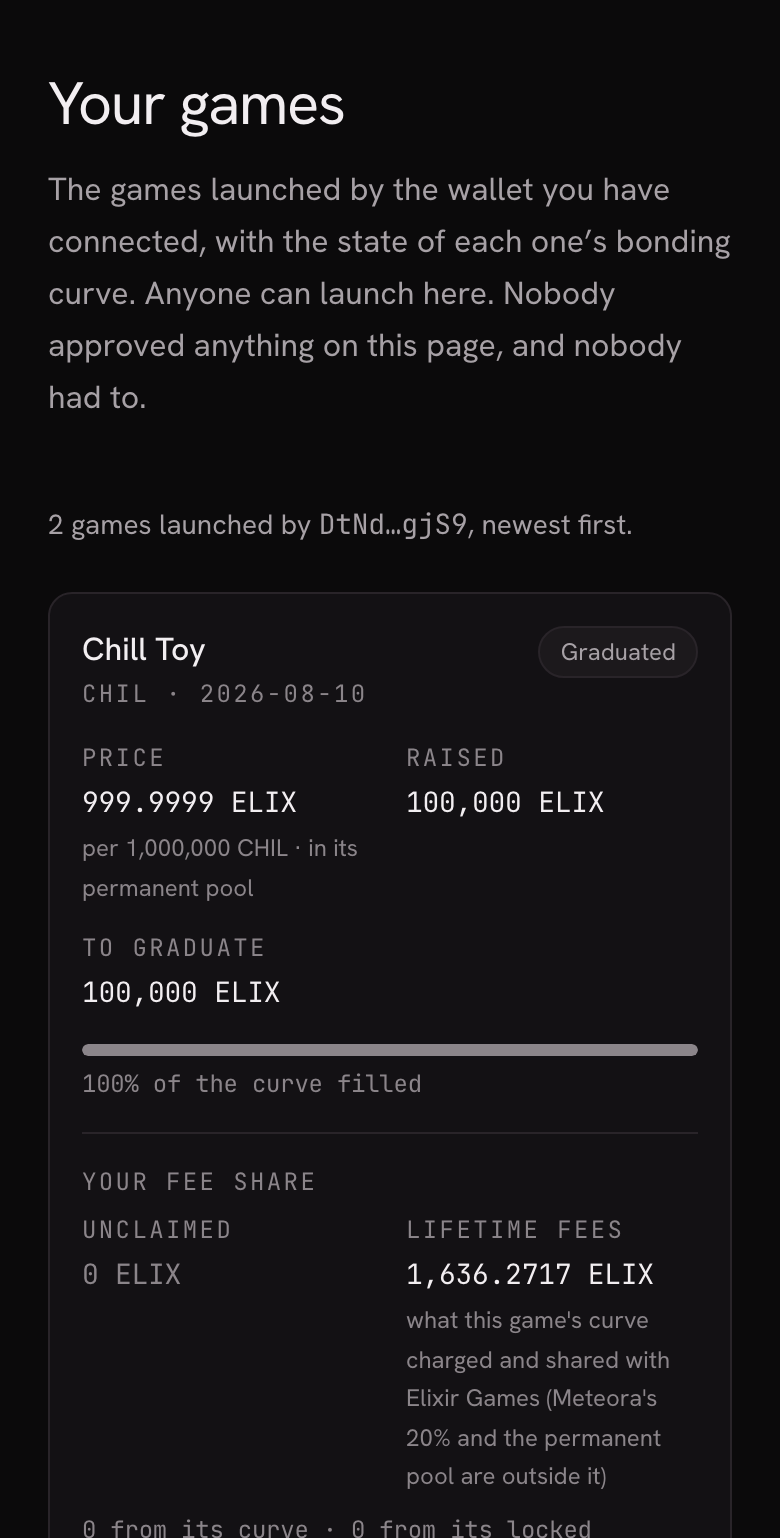
The list on a phone, newest first. -
Read a card
At the top of each card: “Price” (what 1,000,000 of your tokens cost in ELIX, and which market that price comes from), “Raised” (the ELIX your curve has collected) and “To graduate” (the ELIX the curve has to raise to graduate). A bar under them says how much of the curve is filled.
Below sits “Your fee share”. “Unclaimed” is what is waiting for you right now. “Lifetime fees” is what your game's curve has charged and shared with Elixir Games since launch. Once your game has graduated, a line splits what is waiting into what comes from its curve and what comes from its locked liquidity. A game with nothing waiting stays on the list at zero. To collect it, see Creator earnings.
Under “Season leaderboard”, “Players ranked” says how many players your game's season board has ranked so far. The page itself says it plainly: ranks are what players have claimed by playing, not a settled payout. More in Leaderboards.
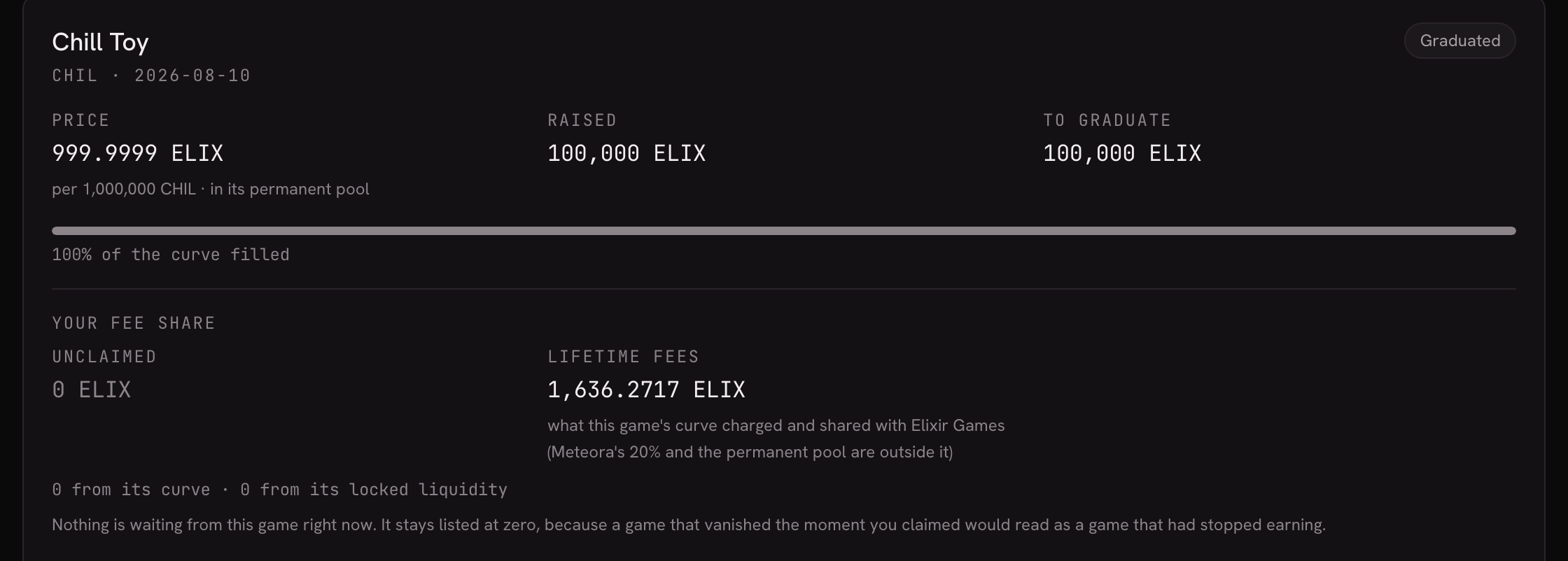
A graduated game: the curve is full and the price is now its permanent pool's. -
Share your game with the “Share kit”
Each card has ready-made images of your game with its live figures: “Link preview” (1200 × 630, what a pasted link shows on X, Discord and Telegram), “Square post” (1080 × 1080) and “Story” (1080 × 1920). Press a row to download it. There is nothing to sign up for and nothing to upload: each image is made the moment you ask for it.
At the foot of the card, “View” opens your game's page and “Edit … goals” opens its goals, both with your ticker in the button (for example “View NDEW” and “Edit NDEW goals”). Goals are explained in Player goals.
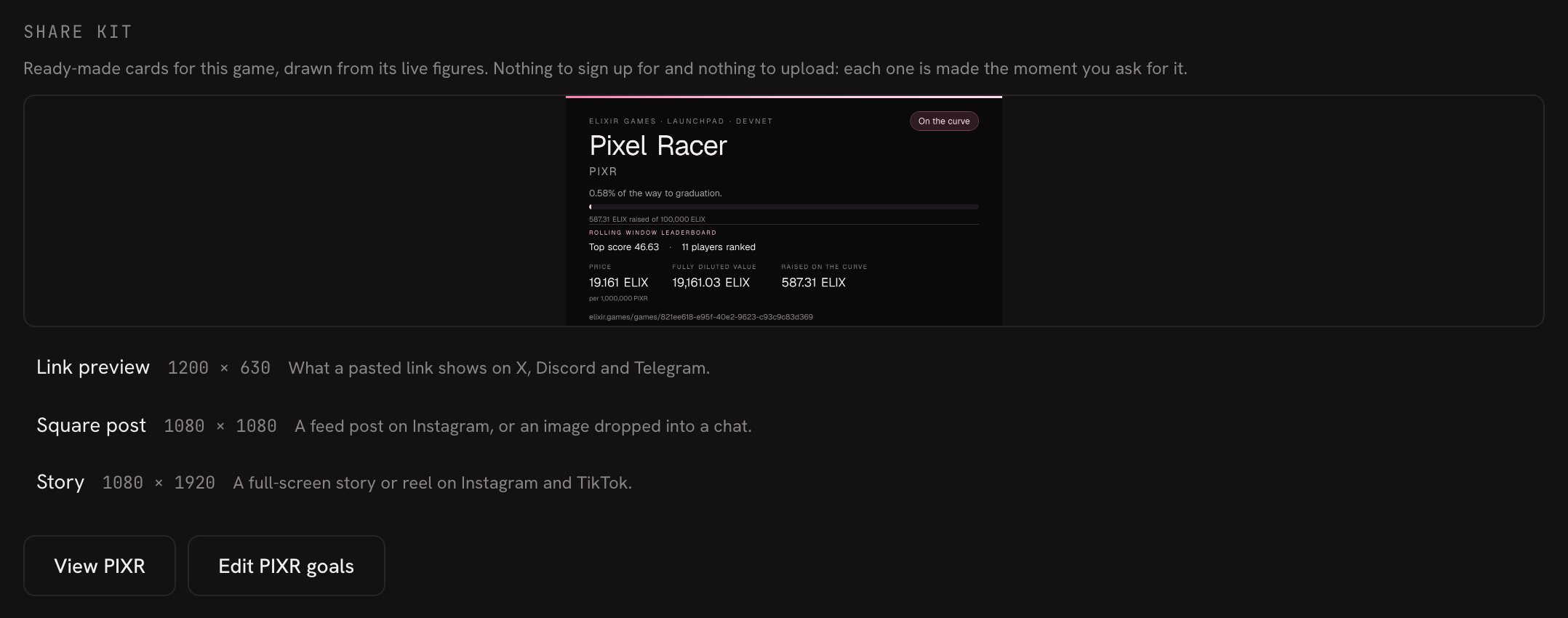
The share kit, at the foot of each card. -
Choose the name your games show
Once you are signed in and have launched a game, the box “Your name on your games” sits at the top. It shows the line every card of yours will carry, “Launched by …”. Type your name in “Name” (the counter shows up to 24 characters) and the line changes as you type. Press “Save” and every game you launched shows it. To show your wallet again, press “Use my wallet”.
Some names are refused, and a sentence under the field says why: a name that copies Elixir Games, one that looks like a wallet address, or one that is another creator's name or a letter away from it.
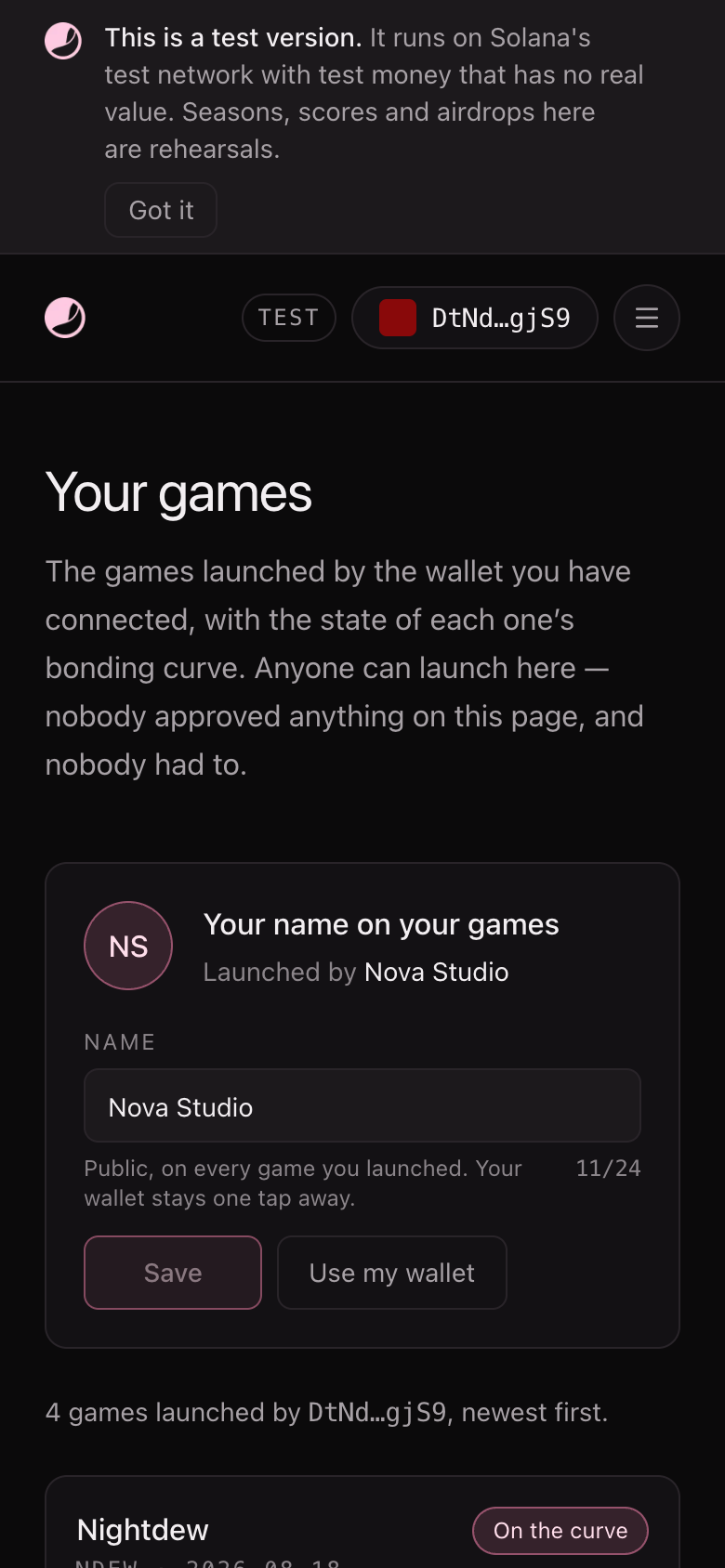
On a phone, the name box sits above the list. -
If your wallet has launched nothing
The screen says “This wallet has not launched a game”, names the wallet and offers “Launch a game”. The usual reason is a different wallet from the one you launched with: connect that one instead. To launch, see Launch your token.
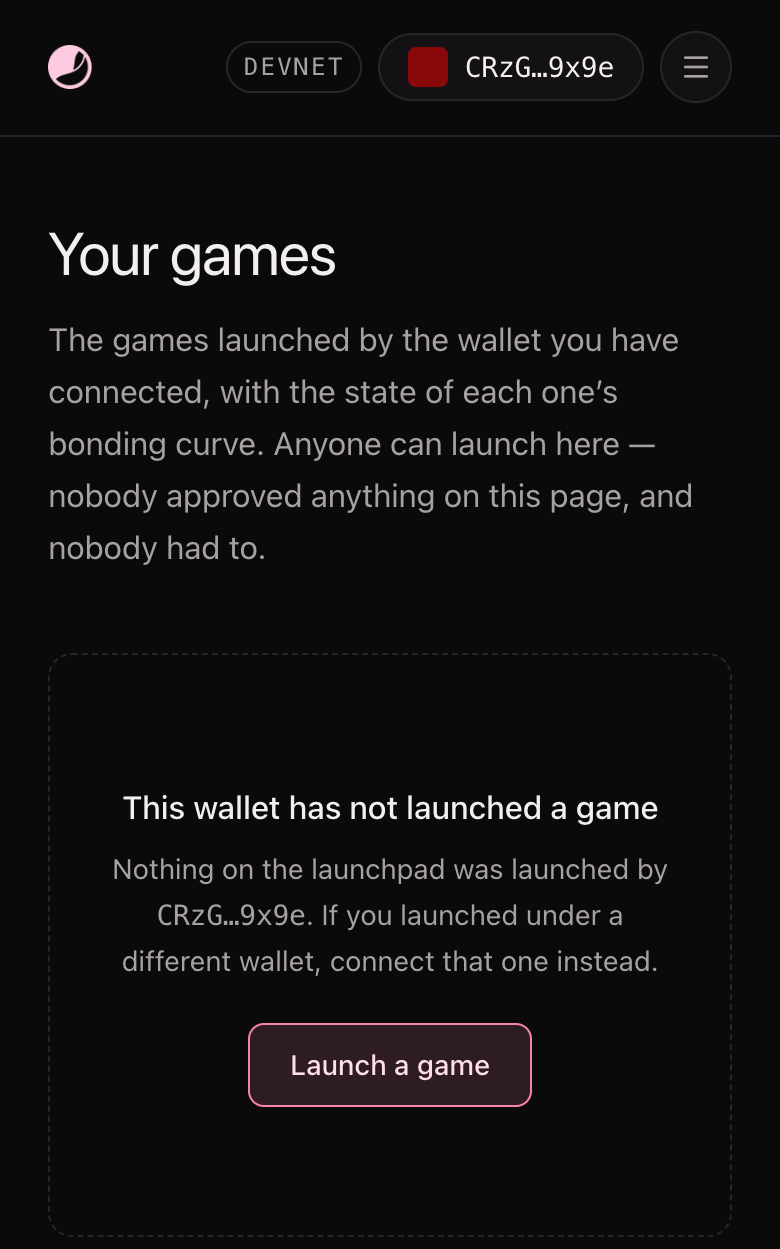
The empty state, for a wallet that has launched nothing.
What it does not do (yet)
- It does not change your game. Your game's name, ticker and token are set at launch. The one thing you change here is the creator name your games show.
- It does not collect your fees. It shows them. You claim them in Portfolio.
- It shows what the chain answered just now. A game that could not be read that minute is missing, and a line under the list says so, with “Try again”.
- Your name is public. It appears on every game you launched, and your wallet stays one tap away on each game's page.
- Test money. Every figure is on Solana devnet and has no real value.