Launch your token
Launch your game's token
A game's token is launched by whoever published the game, on the “Tokenize your game” screen: pick the game, name the token and its ticker, read the tokenomics and sign once. A game a creator uploaded launches only from the wallet that uploaded it, a game we published only from our own wallets, and a game we announced from any wallet. Nobody has to approve it.
Elixir Games is a test version on Solana devnet, so the button says “Launch on devnet”. The SOL and ELIX you use here are test money with no real value.
Before you start
- A published game. The launch gives a token to a game that is already published on Elixir Games. One game gets one token, for good.
- A signed-in wallet. Sign in on elixir.games first. The wallet that launches is recorded as the game's creator and earns its share of every trade.
- A little test SOL. Launching costs a small amount of test SOL to set the token up on the network.
- Test ELIX, only if you want a first buy. Buying part of your own token at launch is optional. You can always launch without buying.
How to use it
-
Open “Tokenize your game”
Go to
/launch, or press “Launch token” in the menu at the top: it appears once you have signed in. The screen opens under “Monetize”. A track at the top of the form names the four steps: “Your game”, “Your token”, “Tokenomics” and “Launch”, and marks each one you finish.You can look through the steps without signing in, but launching needs a signed-in wallet. If you have not signed in, the first step says “Sign in before you start.” If your wallet is connected but not signed in, it says “Sign in with this wallet before you start.” and shows a “Sign in” button.
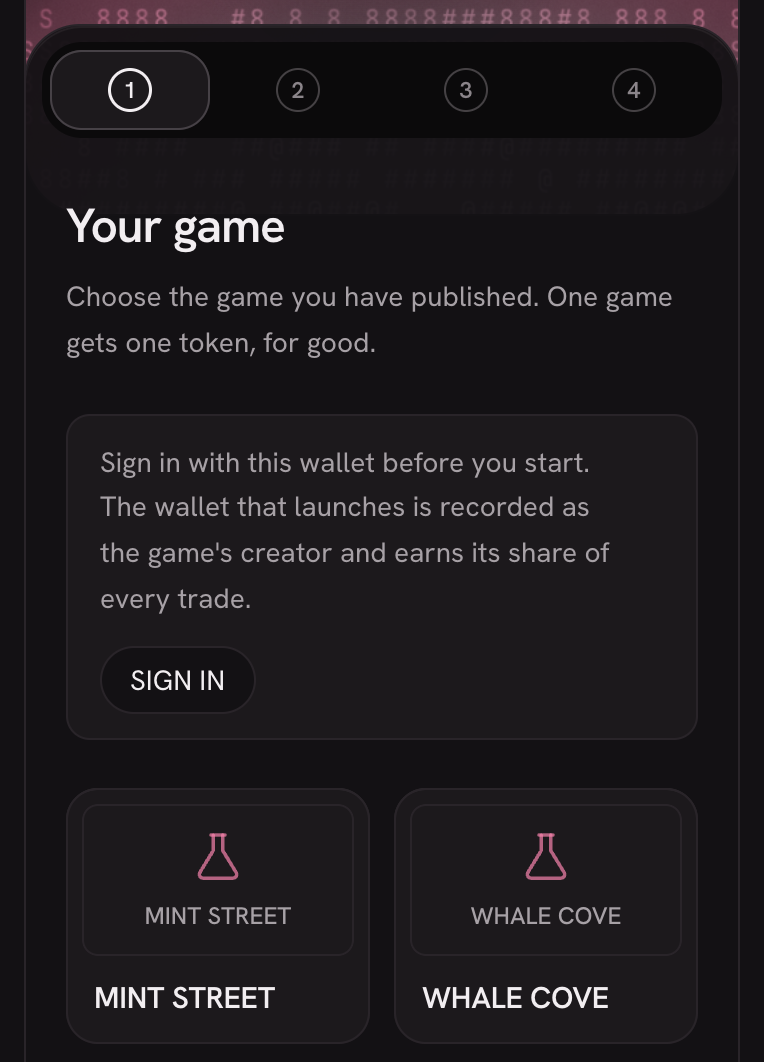
A connected wallet that has not signed in yet: the step asks for that first. -
Step 1, “Your game”: pick your game by its cover
The step says: “Choose the game you have published. One game gets one token, for good.” It shows the covers of published games that do not have a token yet. Press your game's cover: it gets a pink border and a check mark. A game without a cover shows the Elixir flask and its name. If there are more than six games, the arrows turn the page.
If your game has a gameplay video, its cover starts playing when you rest the mouse on it for a moment, or reach it with the keyboard. The video plays muted and on a loop, appears once its first frame is ready and stops when you move away. The next time it starts from the beginning. Nothing is downloaded until then. On a phone, or if you asked your device for reduced motion, the cover stays still.
Once you are signed in, the covers are the games you uploaded that do not have a token yet. Only yours: only the wallet that uploaded a game can launch its token. They appear a moment after the page opens. Until then the step shows grey cards the size of the covers, and the covers land in their place; each cover also stays grey until its picture has loaded. If the list cannot be read, the “Game name” field appears instead. A link that names your game opens the step with its cover already chosen.
If you are not signed in, or you have no game waiting for a token yet, the step shows you how to make one instead of asking for a name. It says “Games you publish show up here, ready for a token. One game gets one token, for good.” A short loop shows the Elixir Games app's pink mascot over the box where you describe your idea, above “Make your first game” and “Build it with AI in the Elixir Games app and publish it. Then launch its token here.” “Open Elixir Games” opens the app on your computer, and “Download the app” downloads it for your system (or opens the app's page from a phone). There is no “Next” until you have a game. If you press “Open Elixir Games” and the page is still in front a moment later, a line appears under the buttons: “Nothing opened? Install the app, then press Open again.” The loop moves only while it is on screen, stays on its first frame if you asked your device for reduced motion, and has its own pause button.
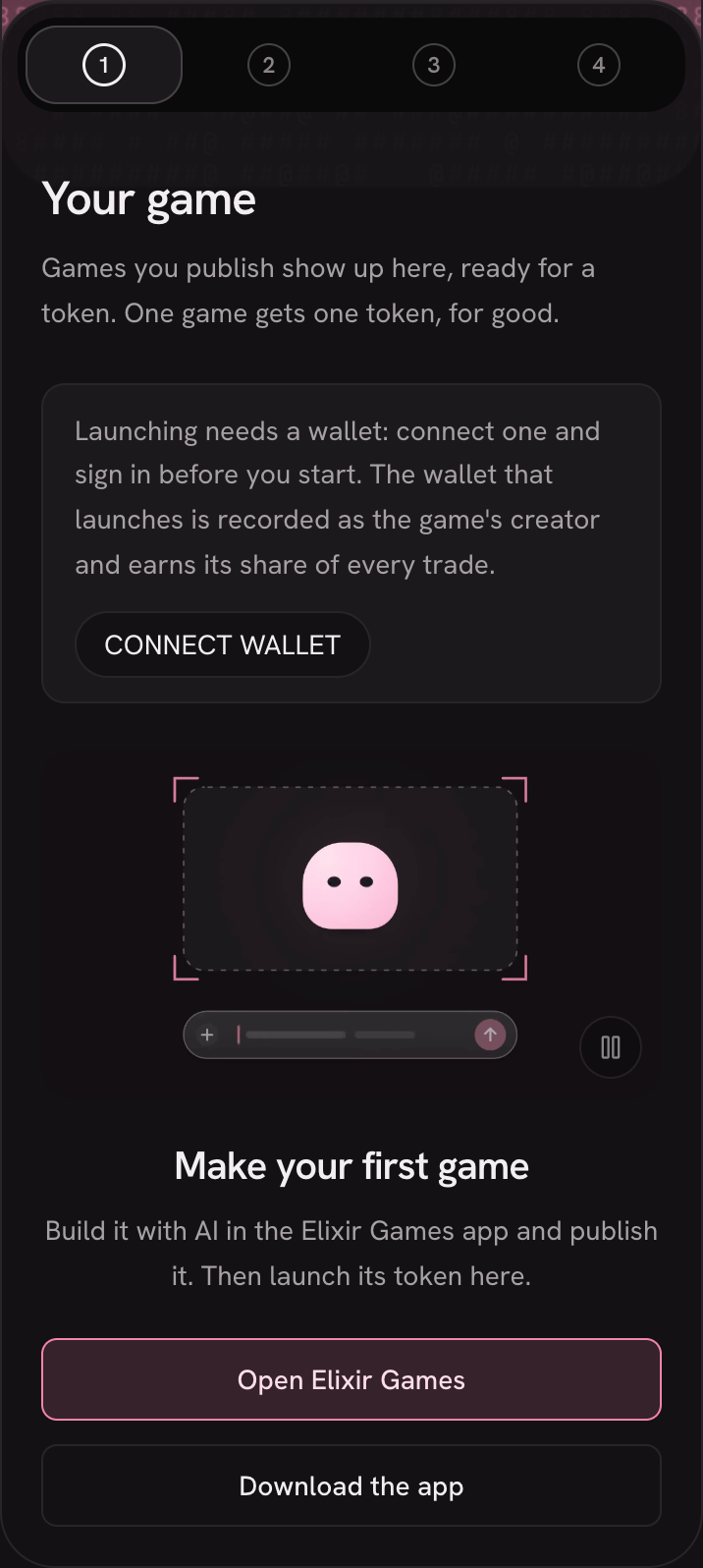
No game to launch yet: the step points you to the app where games are made. The “Game name” field, where you type the name a game was published under (lowercase letters, digits and hyphens), appears when a link names a game that is not among the covers: the step then opens with that name already typed in. That is how a game we announced is launched. It also appears when your games cannot be read. From the field, “Choose from the list” takes you to the covers; a name that is none of theirs is cleared, so the covers open with none chosen. Then press “Next”.
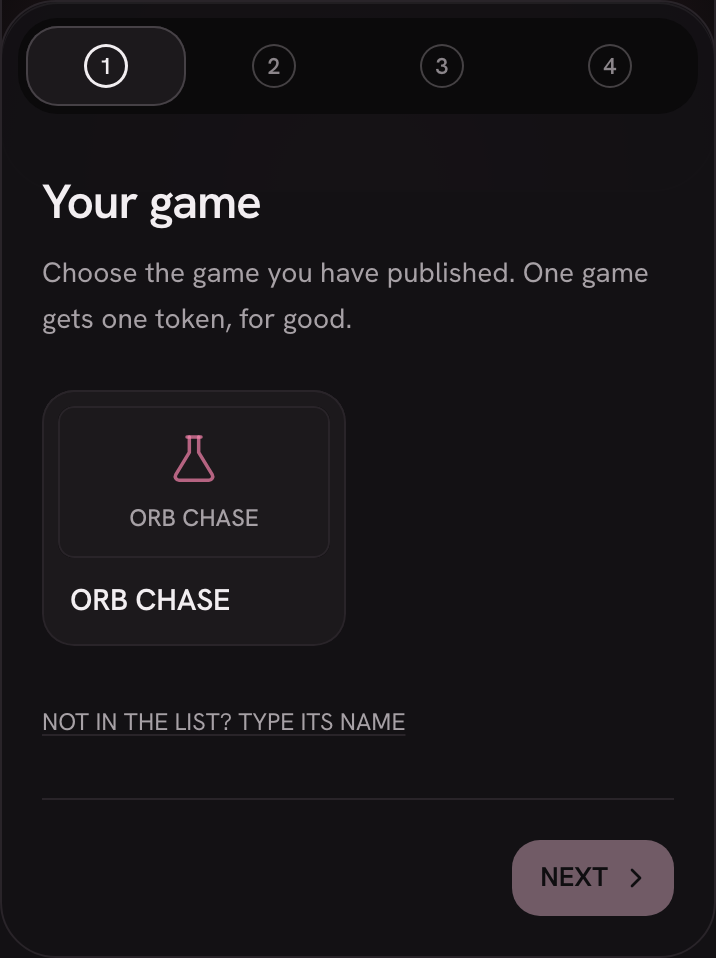
Step 1: your published games without a token, each by its cover. The picture shows an older version of this step, with a “Not in the list? Type its name” link under the covers that is no longer there. -
Step 2, “Your token”: name and ticker
“Token name” and “Ticker” open already filled in, taken from your game's title, and the step says so: “Suggested from your game's title. Change either one if you want something else.” The counters beside each field show how much room is left; the ticker is always in capitals.
A card beside the fields shows your token as a wallet will list it: your game's token icon in a circle, the name and the ticker with its “$”. Both the name and the ticker are written into the token permanently, so check them now.
The platform's own names cannot be used: not “Elixir Games”, “Elixir” or “ELIX”, nor a close copy of one (a letter off, or letters drawn to look like it). The field says so as you type. A name that only contains the word, such as “Elixir of Dawn”, is fine. Then press “Read the tokenomics”.
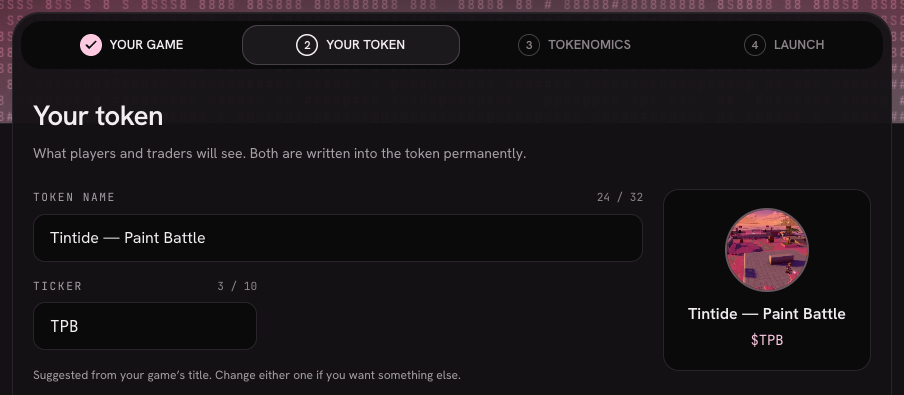
The suggested name and ticker for a test game, and the card that previews them. -
Step 3, “Tokenomics”: read the terms
The step says: “Read from this platform's own launch settings a moment ago. They are the same for every game. Nobody sets different ones for yours, and nobody decides whether yours is allowed to have them.” Each term is a row: “Total supply”, “Sold on the curve”, “Seeded as liquidity”, “Held for player airdrops”, “Held for $ELIX holders”, “For the Elixir treasury”, “Graduates at”, “Trade fee” and “Your share of fees”. “Details” opens the exact number of tokens in each part and a note that explains every row.
In the screenshot below: a supply of 1,000,000,000, with 80% sold on the curve, 10% seeded as liquidity, 2% held for player airdrops, 2% for $ELIX holders and 1% for the Elixir treasury. The token graduates at 100,000 ELIX, the trade fee goes from 50% to 2%, and your share of fees is 40%. Reading the terms signs nothing.
If your wallet does not hold enough SOL to launch, this step says how much it holds and how much it needs, with “Try again”. Add test SOL, then press it.
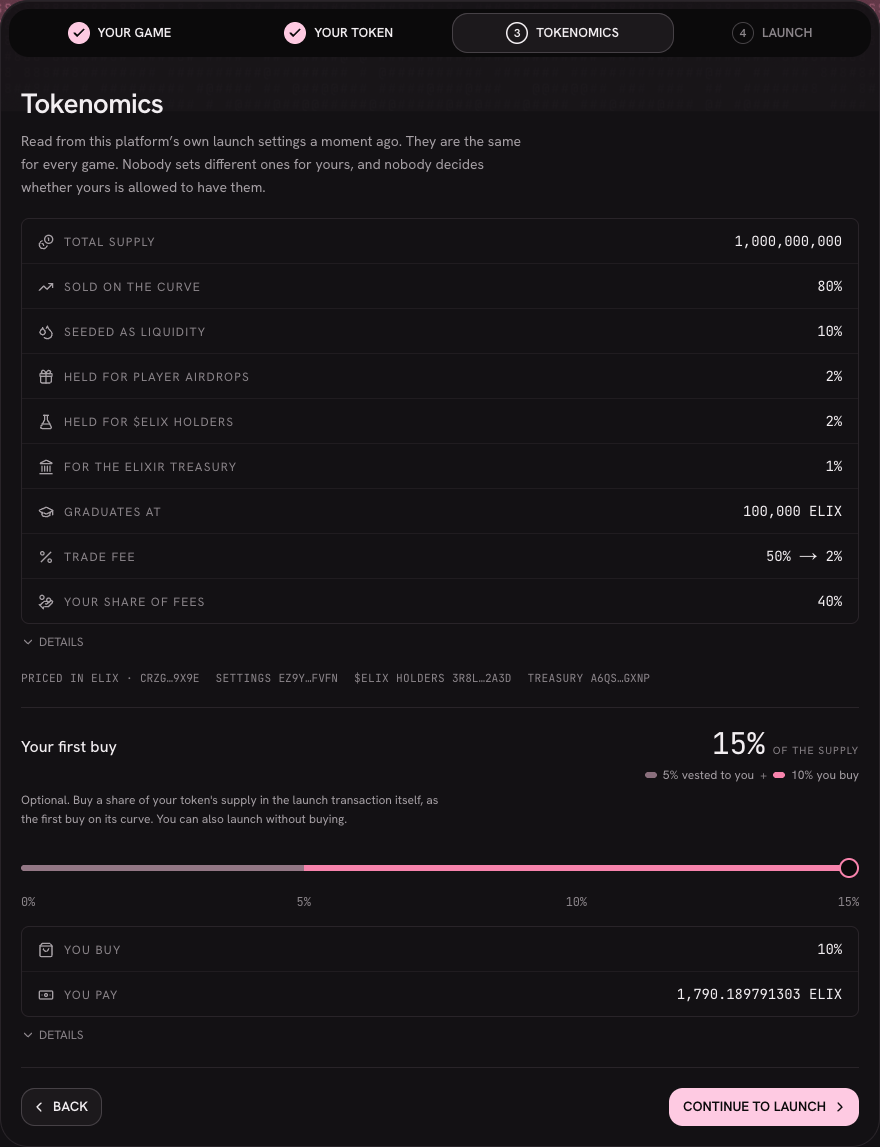
The terms folded to one line each, with your first buy below them. -
Same step, “Your first buy” (optional)
Under the terms, a slider sets your share of the supply. It starts at the 5% vested to you for free: point at it, or tap it on a phone, and a note says “Vested to you: 5% of the supply, free. Once the game graduates, it unlocks day by day over 90 days for you to claim.”
On top of that, you can buy part of the supply in the same transaction that creates the token, as the first buy on its curve. The large figure is your whole share, and the line under it splits it, as in “5% vested to you + 10% you buy”. “You buy” and “You pay” change as you move the slider. The block says it plainly: “Optional. Buy a share of your token's supply in the launch transaction itself, as the first buy on its curve. You can also launch without buying.”
If your wallet does not hold the ELIX for the share you chose, launching is unavailable at that share and the screen says why, with “Buy nothing” and “Check again” beside it. Pick a smaller share, or buy nothing: launching without a first buy always works. When you are ready, press “Continue to launch”.
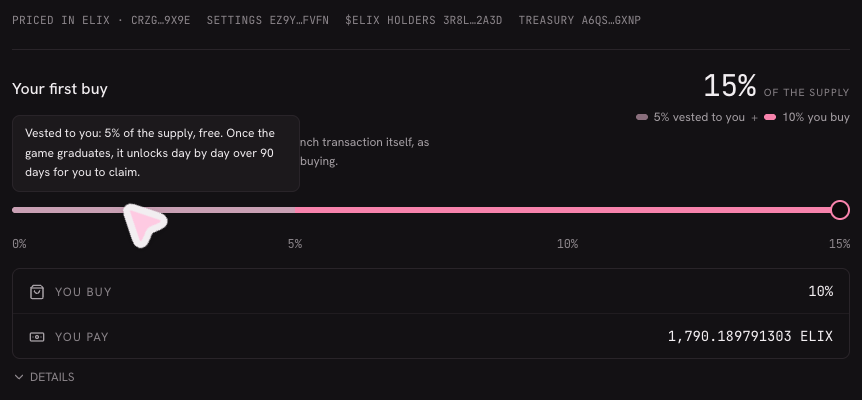
The vested stretch of the slider, with its note open. -
Step 4, “Launch”: sign once
The step says: “You sign one transaction and the token exists. There is no approval queue and no waitlist: nobody reviews this, and nobody can stop it.” Above the button, a summary shows what you sign: “You buy” and “You pay” in view, and every term under “Details”. What you see is what you sign.
Press “Launch on devnet”. On a computer the button lifts off when the pointer rests on it. Your wallet asks for one signature, and once the network confirms it, your game has its token. If the answer is slow to come, the button becomes “Check again”: it asks the network about the launch you already signed and never creates a second token.
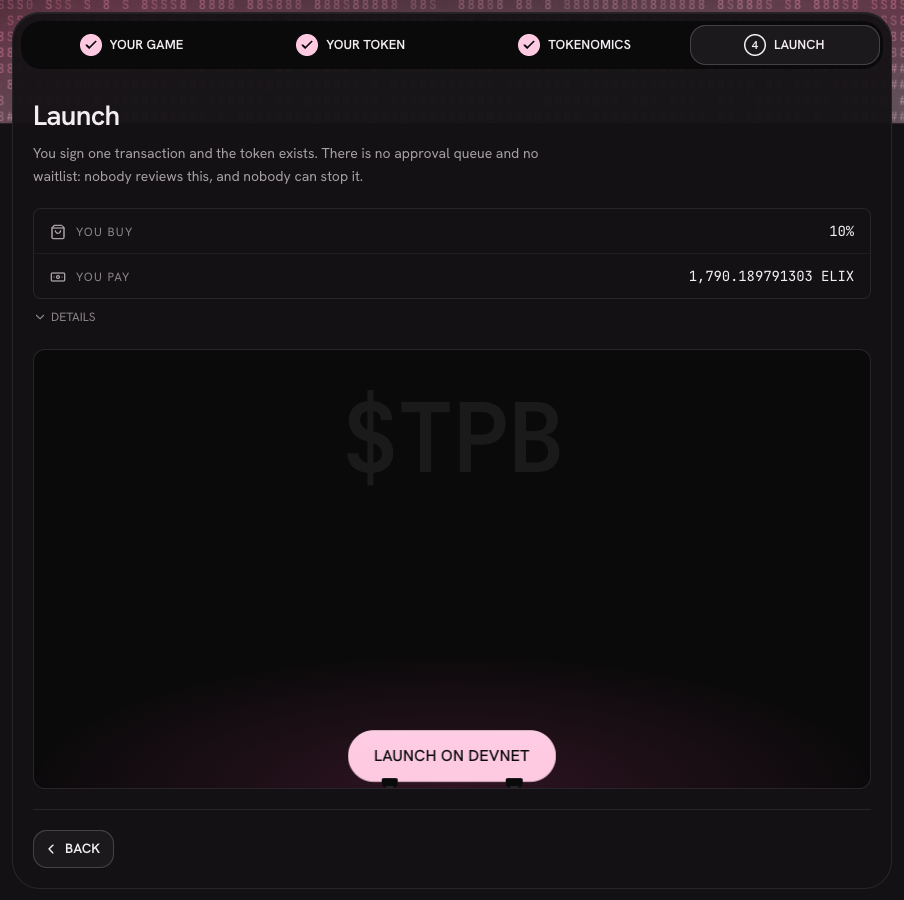
The “Launch” step before the pointer reaches the button. 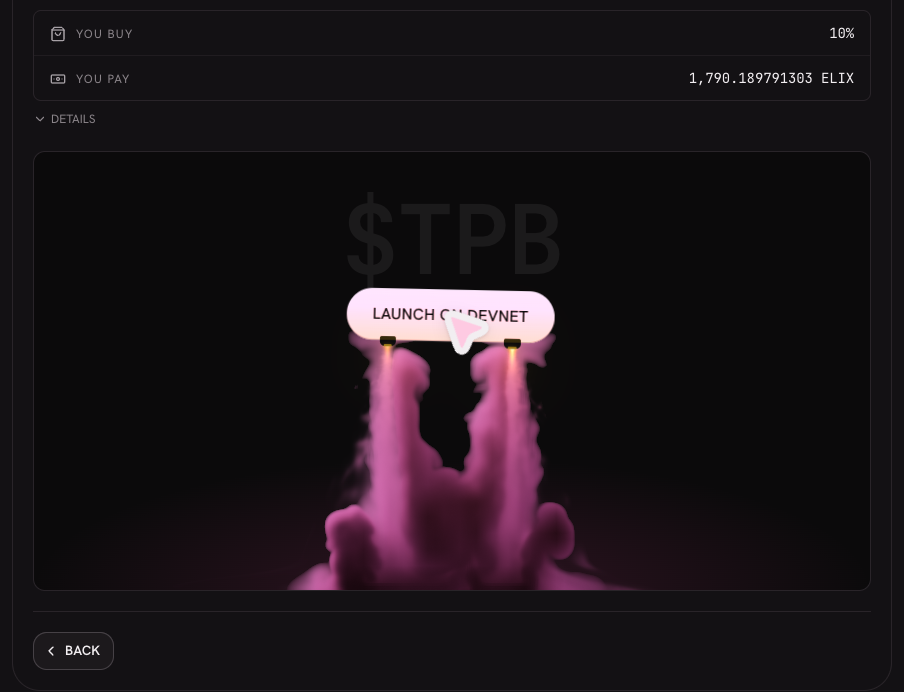
The button lifting off under the pointer. This picture does not show a real launch. -
Your receipt, and your name on your games
When the launch is confirmed, the receipt replaces the steps: “Your game has a token.”, with the “Token”, its “Curve” and its “Creator”, the transaction's signature, and the buttons “Open your token page” and “Launch another game”. If you bought at launch, a “Bought at launch” row shows what the transaction actually bought.
Right under it, “Your name on your games” lets you choose the name players see instead of your wallet. The “Launched by …” line updates as you type; press “Save”. It is optional, and you can set or change it later from “Your games”.
What it does not do (yet)
- It does not publish your game. The launch only gives a token to a game that is already published.
- One game, one token. There is no way to launch it again, and the name and the ticker cannot be changed afterwards.
- It runs on devnet only. The button says “Launch on devnet”: this is Solana's test network, with test money.
After launch, your token has its own page: see Your game's page. What you earn from its trades is in How creators earn.