After launch
Player goals: choose what your game asks of its players
You choose which goals your players can complete in your game (a stretch of play time, a score to beat, a streak of days) from “Edit … goals”, and only the wallet that launched the game can change them.
The site is in English. Button and label names are quoted here exactly as they appear on screen.
Elixir Games is a test version on Solana devnet. Seasons, scores and airdrops here are rehearsals with test money that has no real value. More in the test version.
What goals do
Goals are extra targets on top of playing. When a player completes one, its points are added to that player's score on your game, and that score is what weights their share of your game's airdrop. Players still earn a place just by playing: goals lift a rank, they never create one.
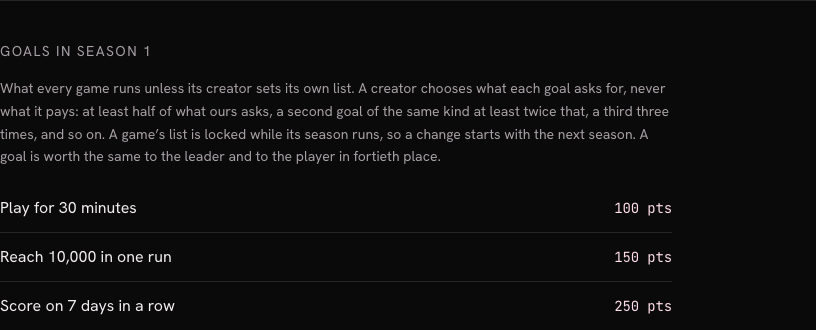
If you never set your own list, your game runs the Elixir Games default. The rules page lists it under “Goals in Season 1”: “Play for 30 minutes” (100 pts), “Reach 10,000 in one run” (150 pts) and “Score on 7 days in a row” (250 pts).
How to use it
-
Open your game's goals from “Your games”
On your game's card in Your games, press “Edit … goals” (the button carries your ticker, for example “Edit NDEW goals”). It opens the “Goals” page of that game. “Back to the game” at the top leads to your game's page.
-
The page checks that you launched the game
While it checks, it says “Checking who launched this game…”. Only the wallet that launched the game can edit its goals. If you are not signed in, it asks you to sign in with the wallet that launched the game and checks again by itself once you have. Any other wallet sees “Only this game's creator can edit its goals”, with the shortened address of the wallet that did launch it.
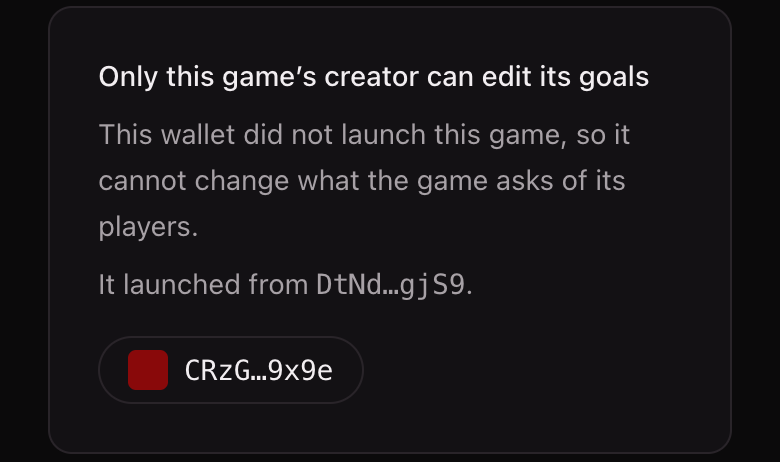
A wallet that did not launch the game: the page refuses and says why. -
Edit “What this game asks of its players”
A label at the top right says whose list runs: “Elixir Games default”, “Your list” or “Next season's list”. Each goal has a “Name” (a short label for your own list), a “Kind” and a “Target”: minutes for “Play time”, points for “Score”, days in a row for “Streak”. Under each goal, “Players will see: …” shows the exact title your players will read and the points it pays. “Add a goal” adds a row and “Remove” deletes one.
You choose what each goal asks for, never what it pays. The page says so: what a goal pays is set by Elixir Games and is the same for every game. The rules page adds the limits: a goal may ask for less than the default, but at least half of it; a second goal of the same kind asks at least twice that, a third three times, and so on. If a goal breaks a rule, a sentence under the buttons says which, and nothing is saved.
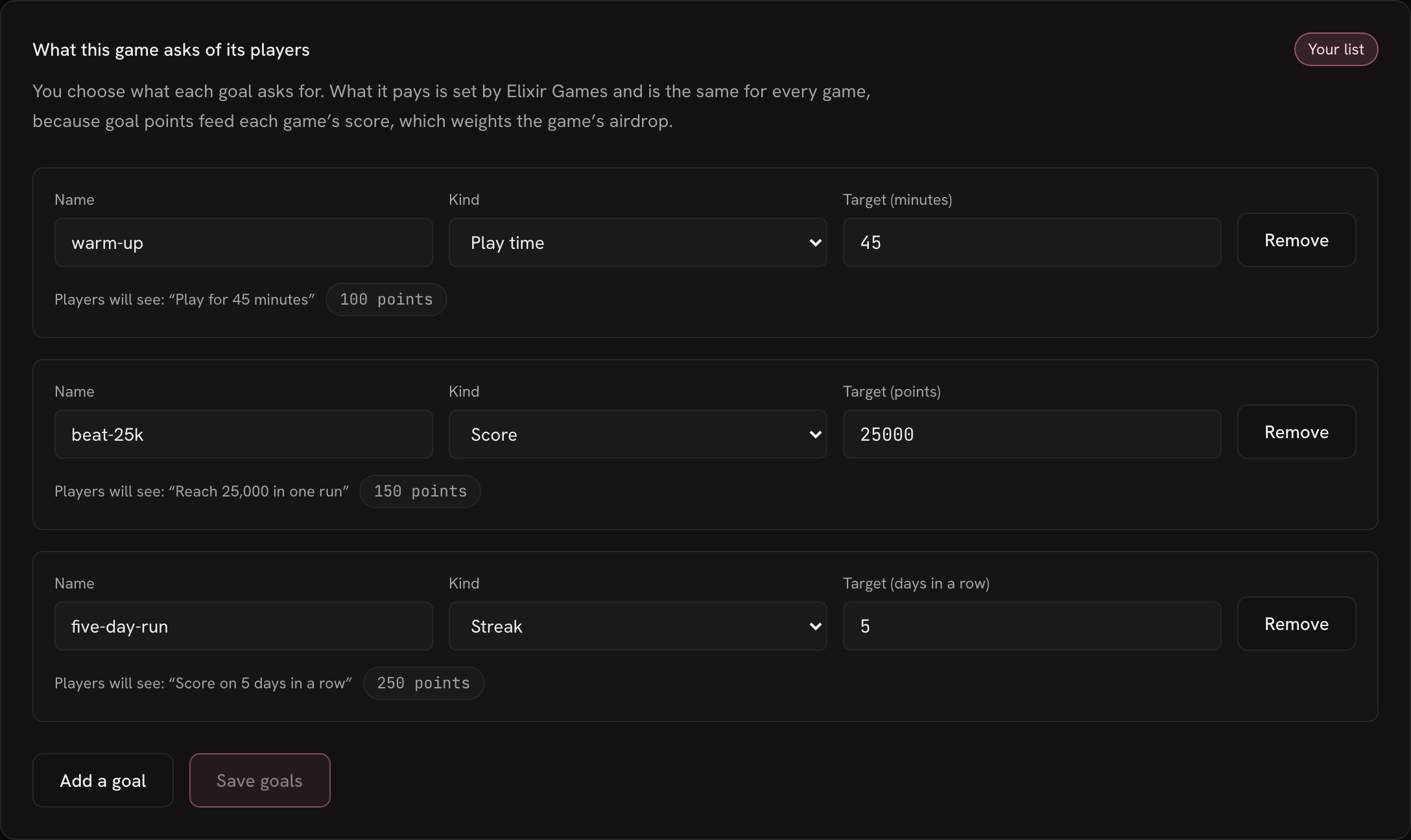
The editor on a computer, with three goals of your own. 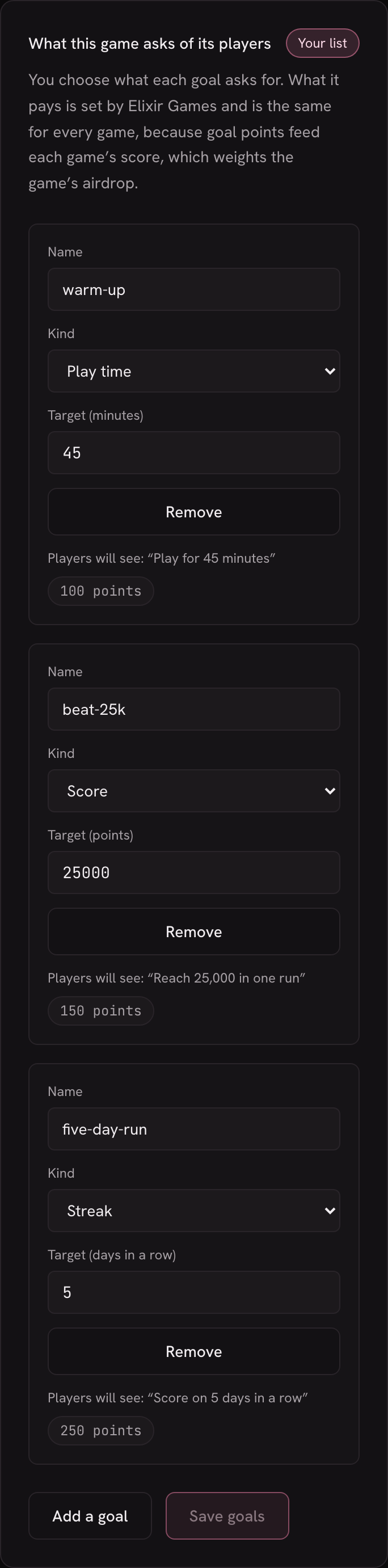
On a phone, each goal's fields stack. -
Press “Save goals”
The button lights up once you change something, and “Unsaved changes” reminds you until you save. While it saves, it reads “Saving…”. When no season is running, the page answers “Saved. Players see this list from their next session.”
-
If a season is running
A season's goals are locked while it runs, so nobody loses a goal they already started or finished. The page then shows “This season's goals are locked until …” with the season's last day. What you save starts with the next season, and the page says “Saved for the next season. Players keep this season's goals until it ends.”, with the goals running now listed under it.
Each new season checks your list against the goal rules when it opens. If your saved list no longer fits, the page tells you before that, with the reason, so you can fix it and save again. A list that cannot run is replaced by the Elixir Games default, and the page says so at the top of the editor, with the reasons.
-
What your players see
On your game's page, “My goals” shows each goal as a card with its title, the player's progress and the points it pays, and a count such as “0 of 3 done · 0 of 500 pts”. Pointing at a card (or tapping it on a phone) explains how that goal counts.

The default goals, as a player sees them under your game.
What it does not do (yet)
- No changes in the middle of a season. While a season runs, what you save starts with the next one.
- Only the kinds in the menu. You pick from the kinds the “Kind” menu offers; you cannot invent new ones.
- You do not set the points. Every game pays the same for the same kind of goal.
- A goal is not a payment. It adds to a player's score. How scores become a share of the airdrop is in Scoring and airdrops.
- Test version. Seasons and airdrops here are rehearsals on Solana devnet.