After launch
Creator earnings: claim your share of trading fees
“Creator earnings”, inside Portfolio, shows your share of the trading fees of every game you launched and lets you claim it with your own wallet, one game at a time.
The site is in English. Button and label names are quoted here exactly as they appear on screen.
Elixir Games is a test version on Solana devnet. ELIX and every game token here are test money with no real value, so nothing you claim here is a real payment. More in the test version.
Where your share comes from
You earn 40% of every trading fee on your game's token, and once your game has graduated, your share of its permanent pool's fees (your locked liquidity) is added to the same figure. How creators earn explains where it comes from; this page shows how to collect it.
How it works
-
Open Portfolio with the wallet you launched with
Press “Portfolio” in the footer of any page, or go to
elixir.games/portfolioand sign in with the wallet that launched your games. Your own token holdings come first (see Portfolio). Further down, the “Creator earnings” section appears, but only if that wallet launched a game. -
Read the total
Under the heading, one figure says how much is waiting for you across all your games and how many games you launched, for example “0 ELIX unclaimed · 4 games launched”. The time of the reading sits on the right (“fees as of …”). The figure covers both sources at once: your curve's fees and, after graduation, your locked liquidity.
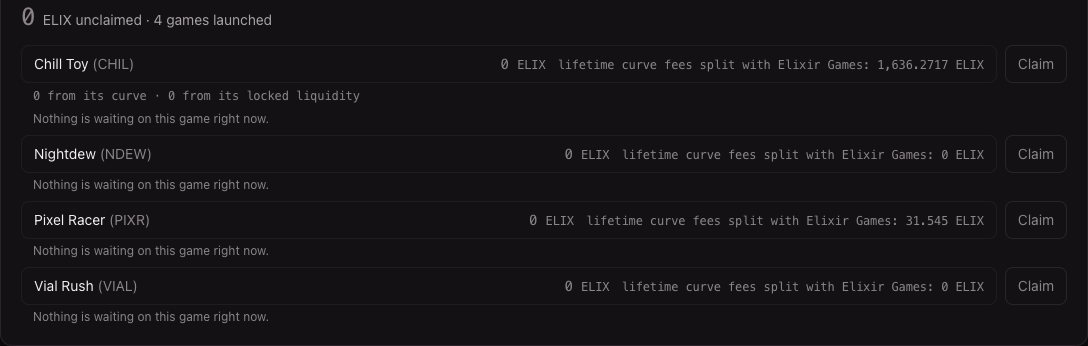
Four launched games with nothing waiting: each says “Nothing is waiting on this game right now.” -
Look at each game
Each row shows the game's name and ticker, what is waiting from it in ELIX, and “lifetime curve fees split with Elixir Games”: everything that game's curve has charged and shared between you and Elixir Games since launch. That second figure is not all yours; your share of it is the first figure, once it arrives. On a graduated game, a line under the row splits what is waiting: “… from its curve · … from its locked liquidity”. A game with nothing waiting stays on the list at zero, so it never looks as if it stopped earning.
-
Press “Claim” when something is waiting
“Claim” lights up on a game that owes you something. It collects from one game at a time, with your own wallet, and asks for a separate signature for each source (the curve and the locked liquidity), so you always know which part arrived. While it works, the button reads “Preparing…”, then “Waiting for your wallet…” while your wallet asks you to approve, then “Collecting…”.
Then the row says what happened: “Collected” (it is on its way to your wallet), “Part of this claim landed” (the rest can be claimed again), “Still waiting on the network” (sent, not yet included) or “Nothing was collected” (the claim did not go through, what the game owes you is unchanged, and you can try again). “Dismiss” hides that note. Nothing expires while you wait to claim.
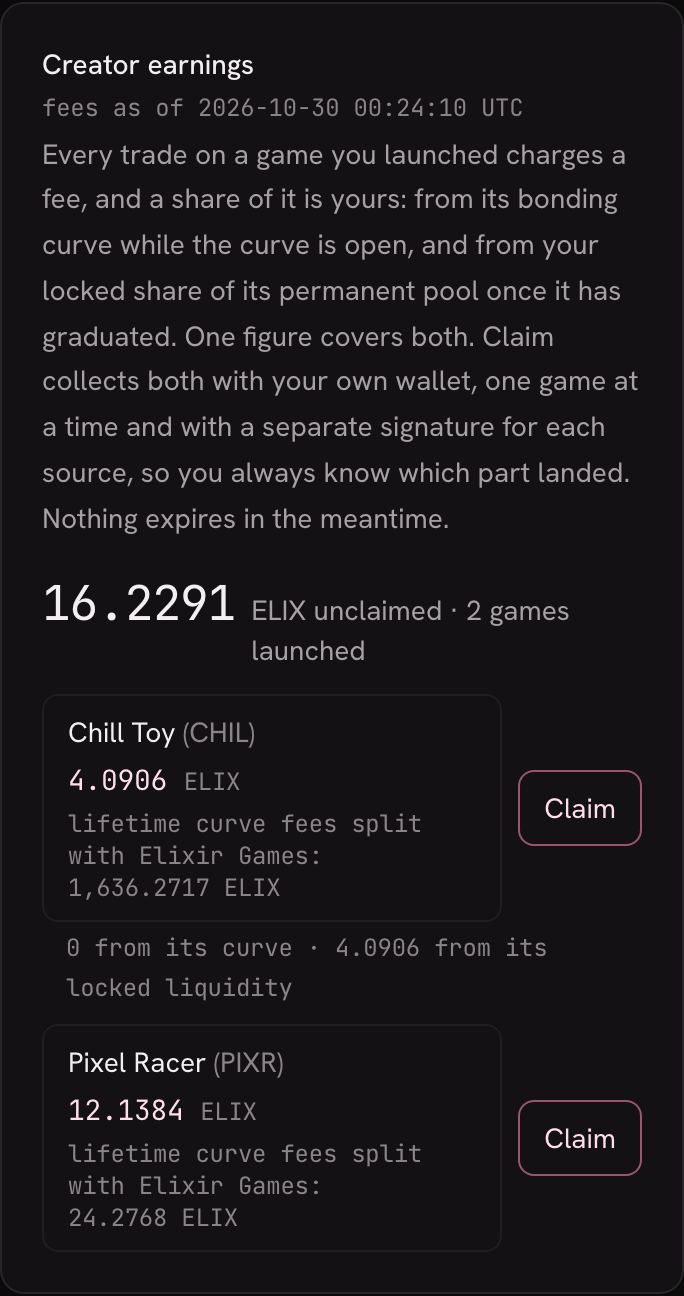
Two games with something waiting, on a phone. The figures are an example. -
After a claim
The page reads what each game owes you again. Until that new reading arrives, “Claim” stays off and says “Refreshing what this game owes you.”, so you never claim twice against an old figure. New fees show up the next time the figure is read.
What it does not do (yet)
- It does not claim by itself. Nothing is sent to your wallet until you press “Claim”, game by game.
- Claiming needs the wallet that launched the game, signed in. Until you are, the button stays off and the line under it says what to do.
- A game that could not be checked is not counted. A note under the list names it and says what it owes you is unknown for now.
- “Your games” shows the same figures, without the button. Each card there has “Unclaimed” and “Lifetime fees” (see Your games); you claim here.
- Test money. All of this runs on Solana devnet and has no real value.