Your game on Elixir Games
The catalogue: where your game shows up on the home page
The home page of elixir.games is a store of games anyone can play in the browser. Once your game is published and playable, it is there, in rows that sort the games by what players are doing.
The site is in English. Row and button names are quoted here exactly as they appear on screen.
How it works
-
Every playable game is on the home page
“Play” in the top bar, or the flask, opens the home page. Every game on it can be played in the browser, for free, without signing in. Within each row, a game moves up by how players play it and like it.
Your game is there from the moment it is published, before its token, the way its own page is: it shows “Token later” on that page, and on the home page its card shows its plays.
-
The carousel at the top
Up to eight games turn in a carousel at the top: games Elixir Games promotes come first, then the newest. On a computer, while the pointer is on the carousel, the game in the centre plays its own gameplay clip.
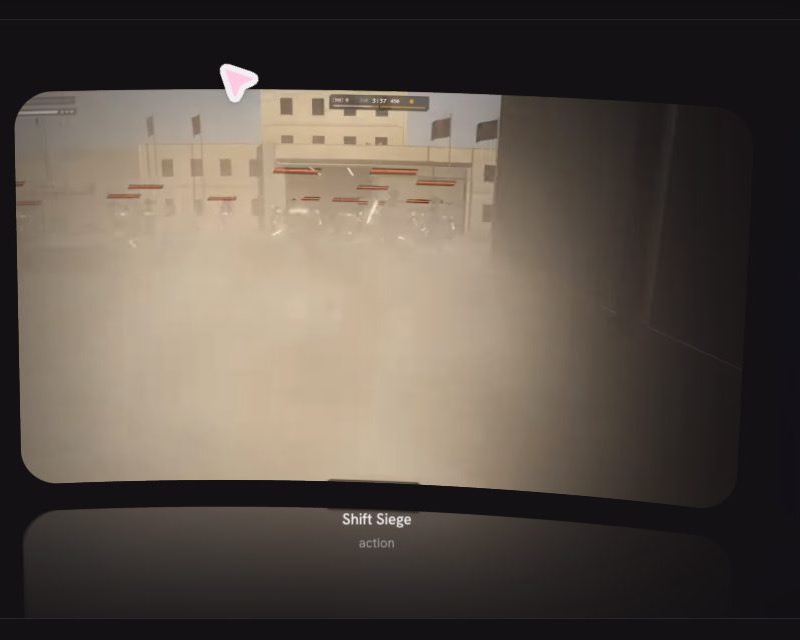
The game in the centre plays its clip while the pointer rests on the carousel. -
“The week’s top 5”
The five most played games across Elixir Games this week, ranked. If this week's figures cannot be read, the row is called “Most played” and ranks all-time plays instead.
-
Rows that follow what players do
Further down, each row sorts the games its own way:
- “playing now”: games with someone playing them right now come first.
- “updated recently”: games whose newest build came with a note from its creator, newest first, with that note.
- “new and rising”: a game launched or published in the last week wears “★ Fresh”; a game played more this week than last wears its growth, such as “+140%”.
- “for you”: the most liked games, then the most played this week.
- “explore the arcade”: a wall of games at the bottom. Rest the pointer on a box to turn it over, or on a cover to watch the game play.
A visitor who has played games in this browser also sees “keep playing” and “because you played”, built from their own play only. A row with nothing to show is left out.
-
What a card shows about your game
Your game's cover and name, and who made it, written as a handle: the name you chose for your games, or your address, shortened, if you chose none. Then its likes (♥), and where your token stands: how full its bonding curve is, as a percentage, or “Monetized” once it has graduated. A game without a token shows its plays instead. When people are playing it right now, the card says how many.
-
On a phone
The rows stack, and the top bar folds into a menu with “Play”, “Monetize” and “Make a game”. The label at the top of the menu, “DEVNET”, is the test network the site runs on.
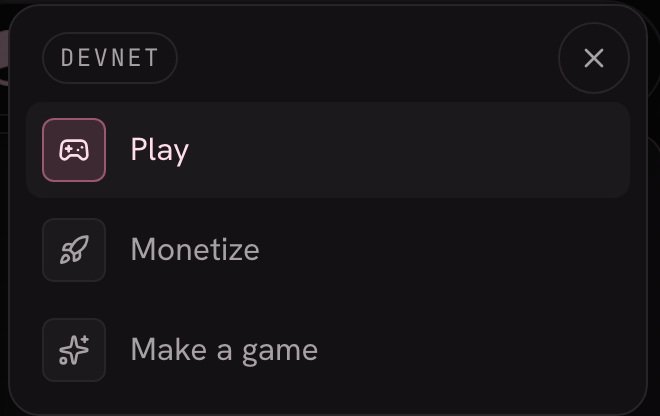
The phone menu, opened from the round button at the top right.
What it does not do (yet)
- No search box and no filters. Players find games by browsing the rows, or by a link you share to your game's page.
- Only playable games appear. A game shows on the home page only while it has a build people can play. Its own page is reachable by its link either way: your game's page.